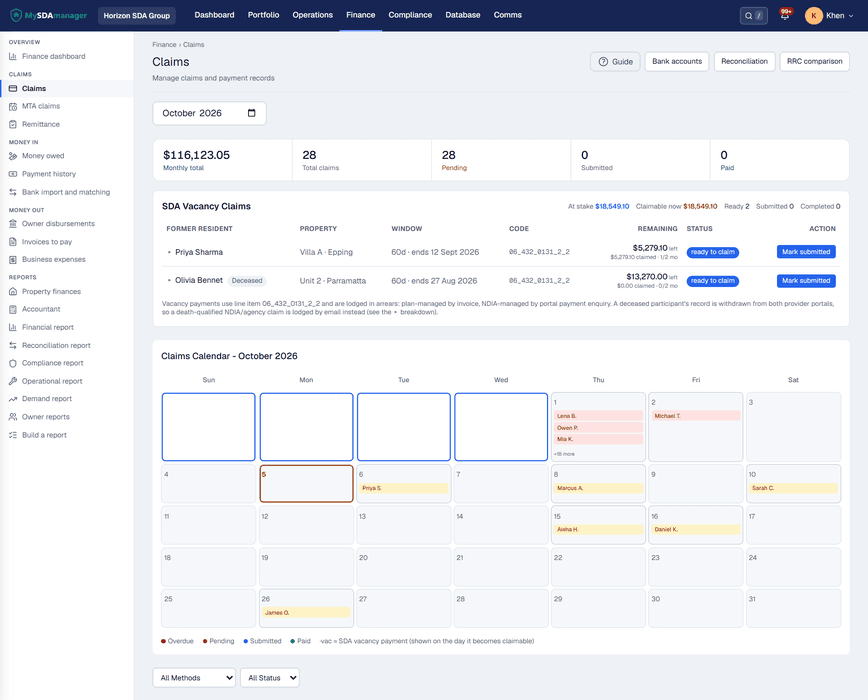

Claims matchClaims export ready
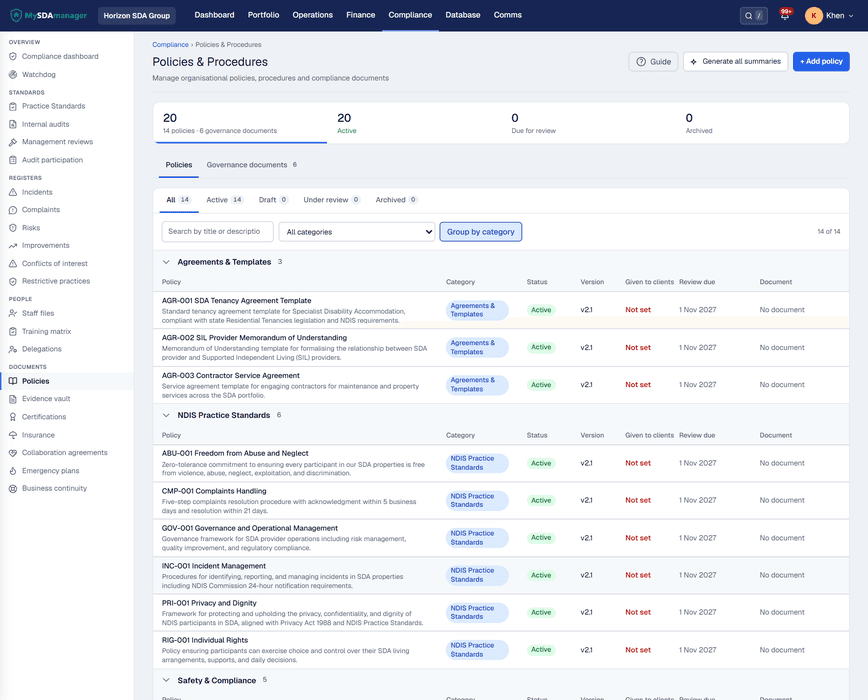
Audit packEvidence in one place
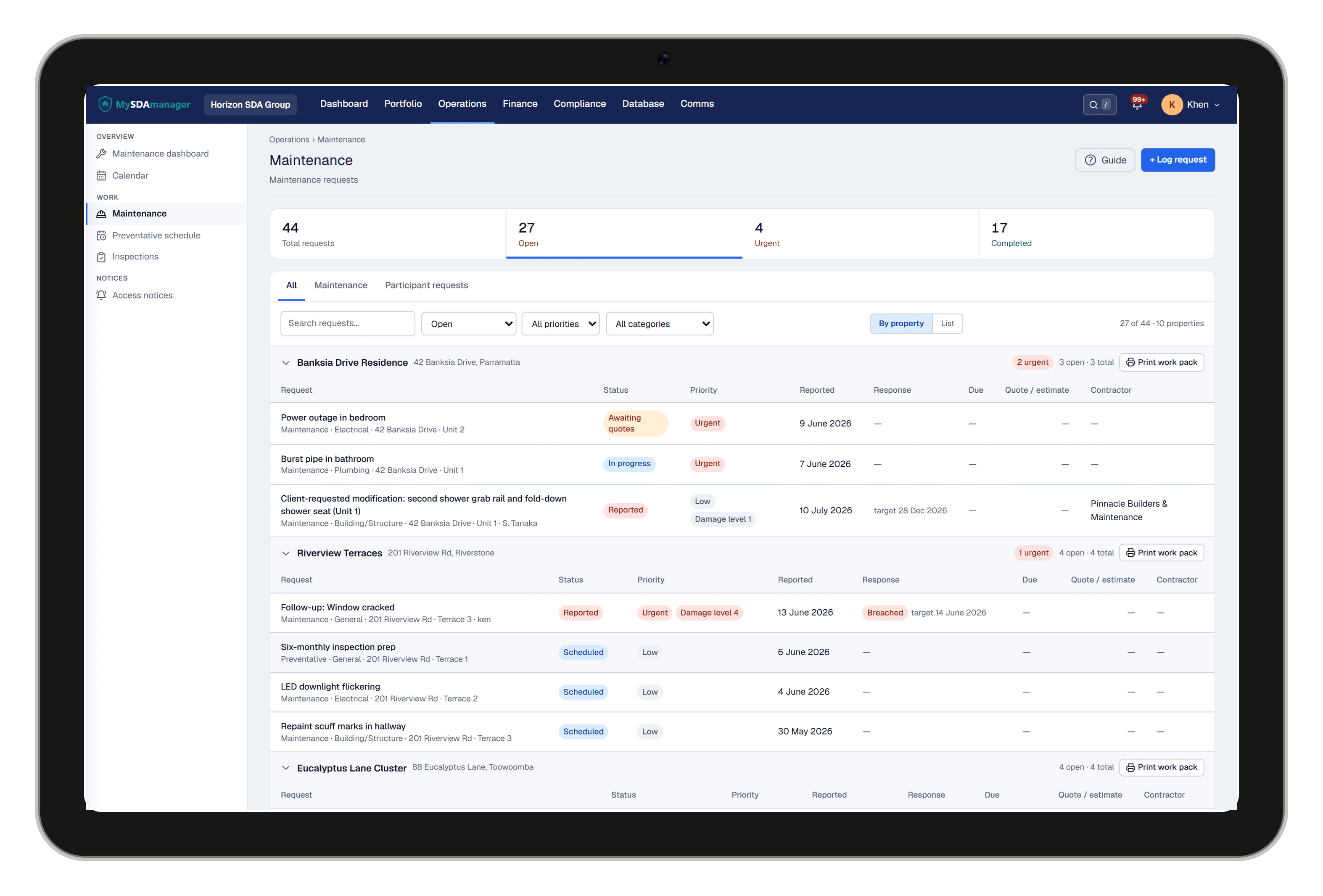
Field readyTablet inspections
MySDAmanager is dedicated software for Specialist Disability Accommodation, not a spreadsheet stack, and not a generic property tool bent to fit SDA.
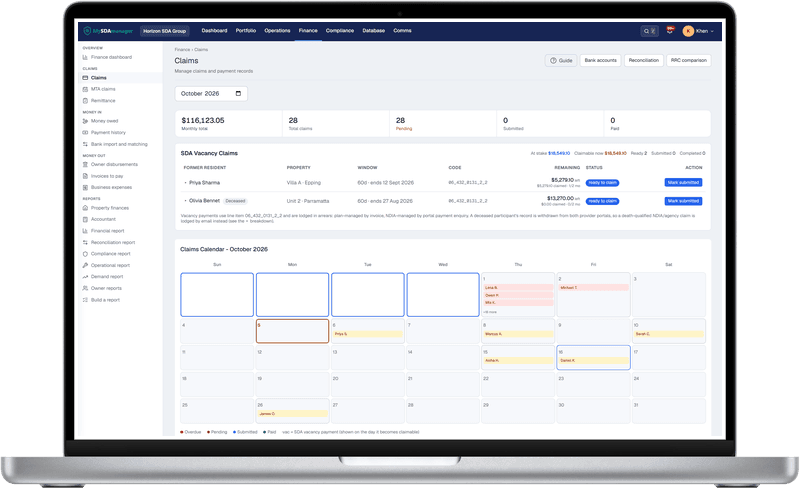
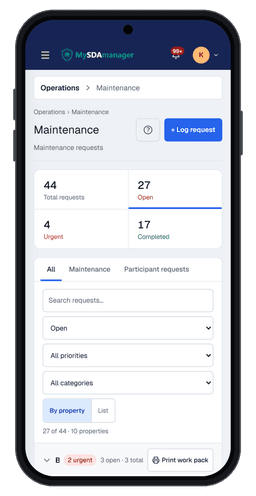
Works on laptop in the office, and on tablet or phone on site.
There is a lot of workaround software in SDA: spreadsheets, SharePoint, and general property platforms stretched to cover dwellings, claims, and audits. MySDAmanager is built only for SDA: properties, participants, SDA rent and claims, inspections, and compliance evidence in one place.
Walk a dwelling with a tablet. Pass or fail each item, attach photos, and leave with a record already in the system, not a clipboard to type up later.

Most providers start with Excel, shared drives, and email. Some move to general property systems that were never built for SDA dwellings, SDA rent claims, or SDA audit evidence. MySDAmanager is the dedicated app for that job.
| What you need | The workaround today | With MySDAmanager |
|---|---|---|
| Property & dwelling tracking | Excel spreadsheet | Built-in with SDA categories, occupancy, owner details |
| Participant placement | Manual matching + emails | Linked to dwellings, consent workflow, plan tracking |
| SDA payment calculations | Another spreadsheet | Auto-calculated: SDA Funding + RRC + Provider Fee |
| Compliance document tracking | Shared Google Drive | Evidence Vault with expiry alerts and cert linking |
| Fire safety cert expiry | Calendar reminders (maybe) | Expiry alerts on certifications and documents (about 30 days out) |
| Incident reporting | Word doc template | Offline-capable forms, 24hr NDIS chain of custody |
| Owner / landlord reporting | Manual PDF every month | Landlord SDA rental statements from the reports flow |
| Audit pack preparation | 2 weeks of manual assembly | Configurable multi-section NDIS audit pack in minutes |
| Contractor quotes | Email back and forth | Quote request workflow with public response link |
| Xero invoicing | Manual data entry | Xero connection and sync for connected orgs |
Property & dwelling tracking
Participant placement
SDA payment calculations
Compliance document tracking
Fire safety cert expiry
Incident reporting
Owner / landlord reporting
Audit pack preparation
Contractor quotes
Xero invoicing
Can you produce a valid, signed consent form for every participant within 15 minutes? APP 3 requires it.
Consent lifecycle: record, renew, withdrawAre your fire safety certificates all current and traceable? In NSW that means a current annual fire safety statement (FP1500). One expired certificate is an immediate non-compliance finding.
Certification expiry alerts and compliance calendarStill reconciling SDA payments, RRC contributions, and provider fees by hand? One transposition error can cascade through months of records.
Auto-calculated SDA + RRC + provider feeOne product across the devices your team already uses in the office and on site.
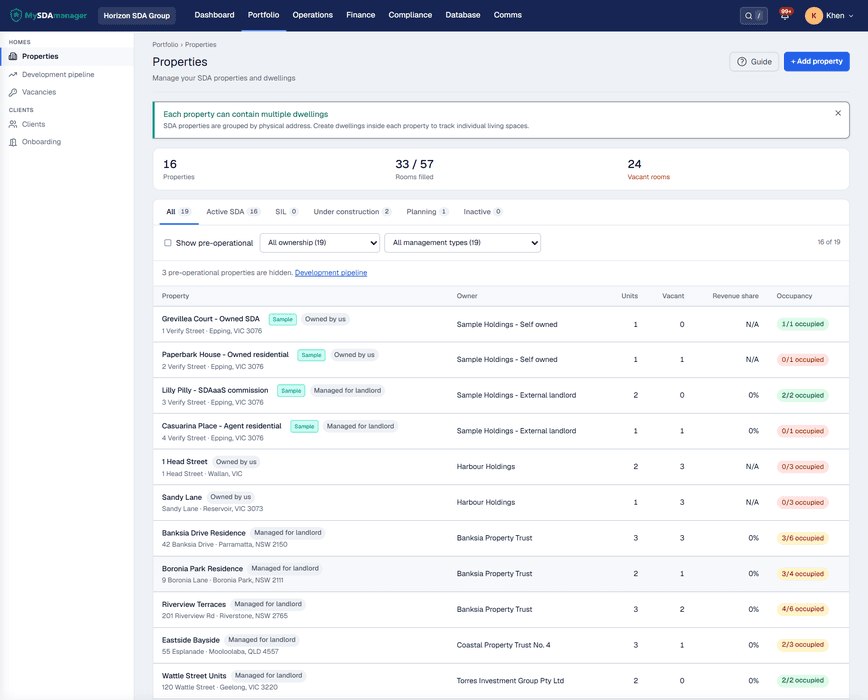
Whether you own, manage, or operate SDA properties, the view adapts to your role.
You own and operate across multiple sites. You need to know, at a glance, that every dwelling is occupied, paid, and audit-ready, without opening five spreadsheets.
You are enrolled to deliver SDA housing. Participant placements, consent lifecycles, and audit readiness all have to hold up under scrutiny, and your current tools were not built for it.
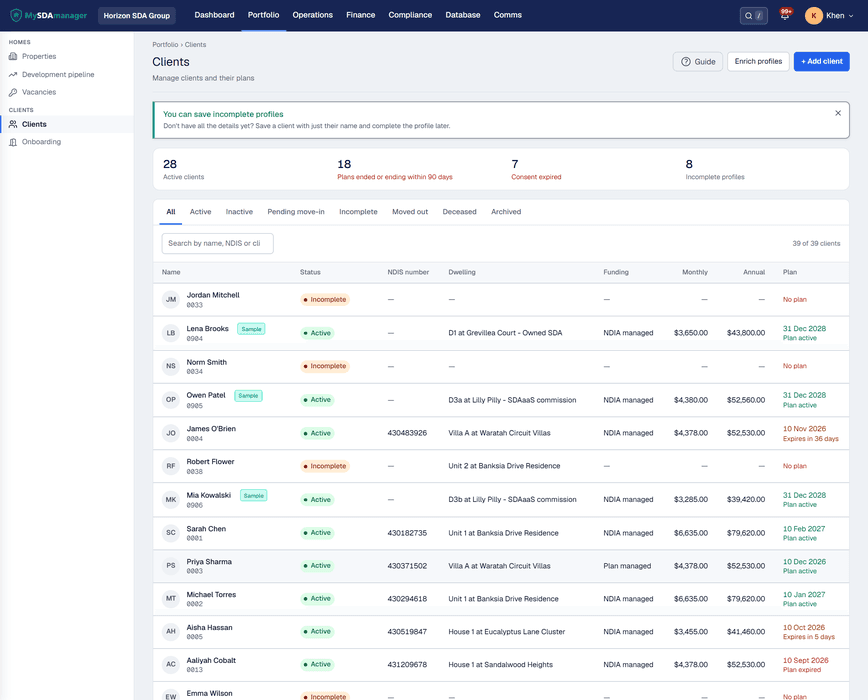
Reactive maintenance, contractor coordination, move-ins, follow-ups. The work that lives in spreadsheets and email belongs in a system that tracks every deadline for you.
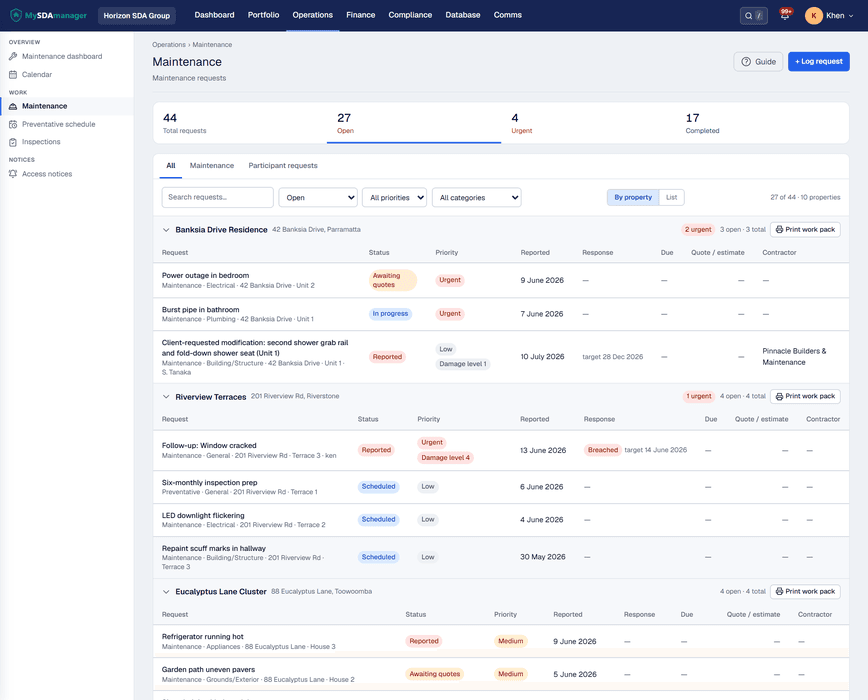
Three of the systems that keep your registration safe. Each one is a real screen, not an icon.
Consent forms, fire safety certificates, building compliance, worker screening. AES-256 encrypted, expiry-tracked, and linked to certifications so nothing slips through the cracks.
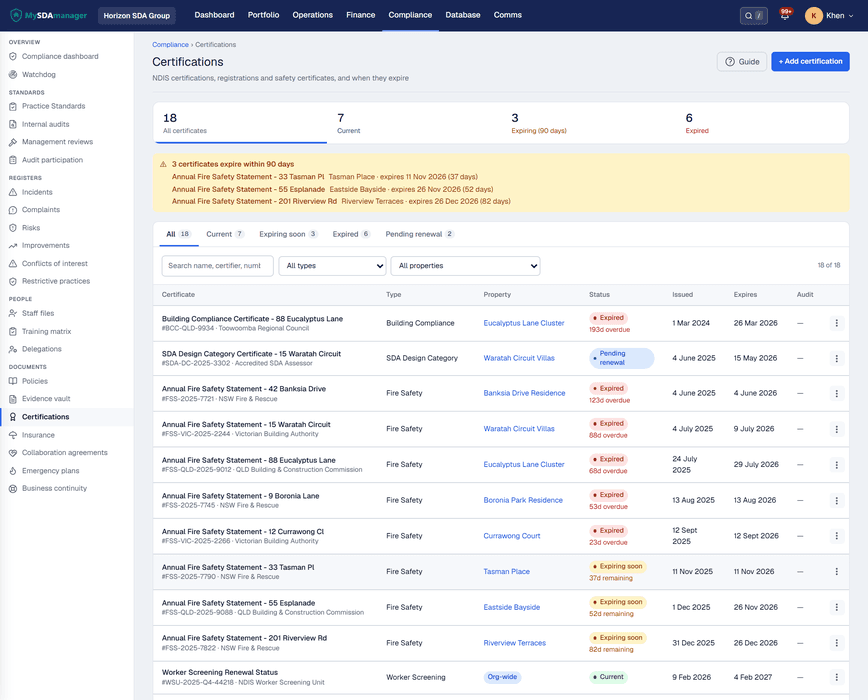
Certificates and documents are monitored for expiry. Alerts land while you still have time to renew, so an expired fire-safety cert does not become a surprise finding.
Report on-site, even offline. NDIS severity levels, photo evidence, and a tamper-evident audit trail mean the answer to "can you prove it?" is always "here, verify it yourself".
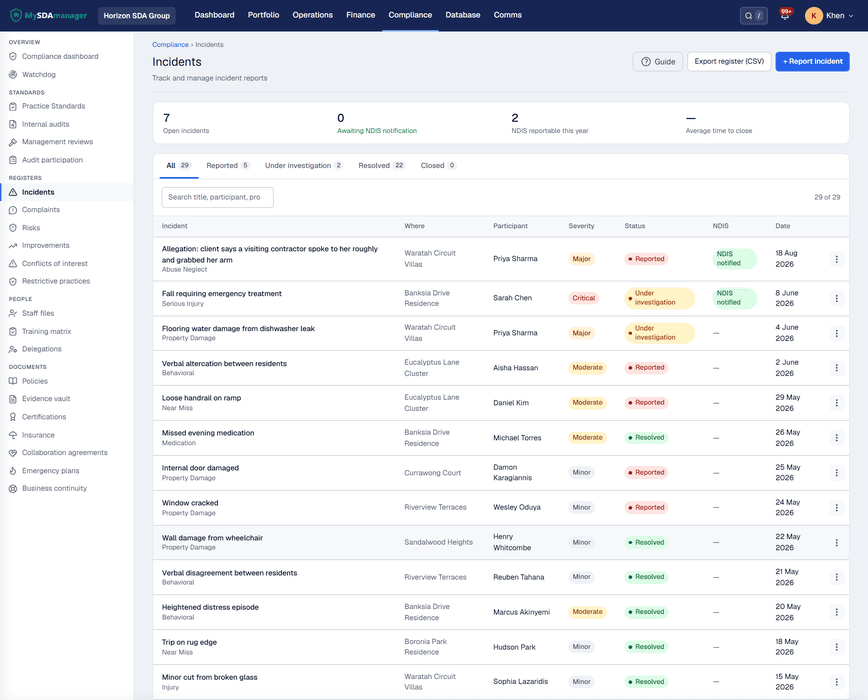
No six-month implementation. Your audit trail starts on day one.
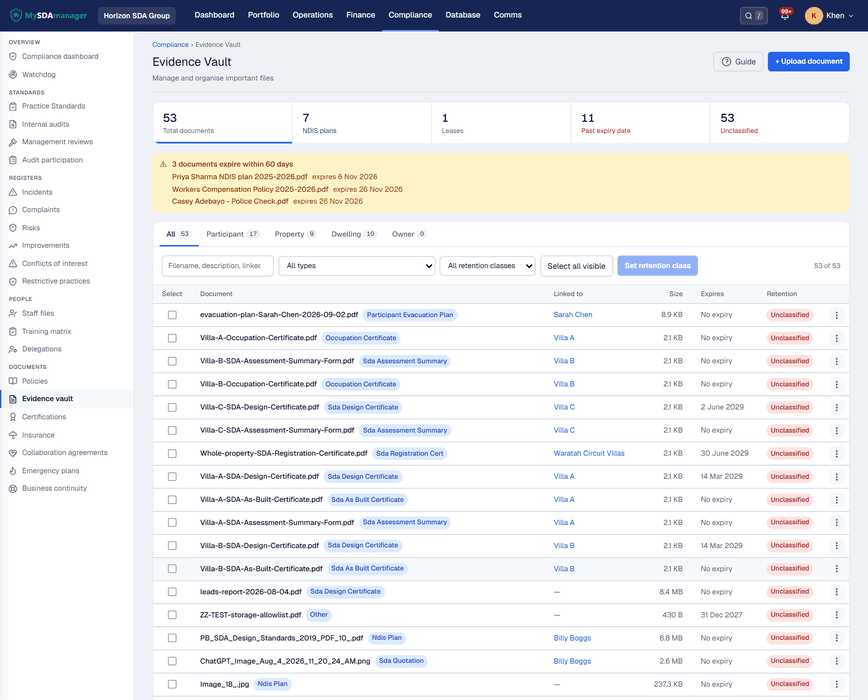
Documents, certificates, consent forms, all into the Evidence Vault. Encrypted, stored, and expiry-tracked.
Expiry dates are monitored. Cert and document alerts give you weeks to renew, not a last-minute scramble.
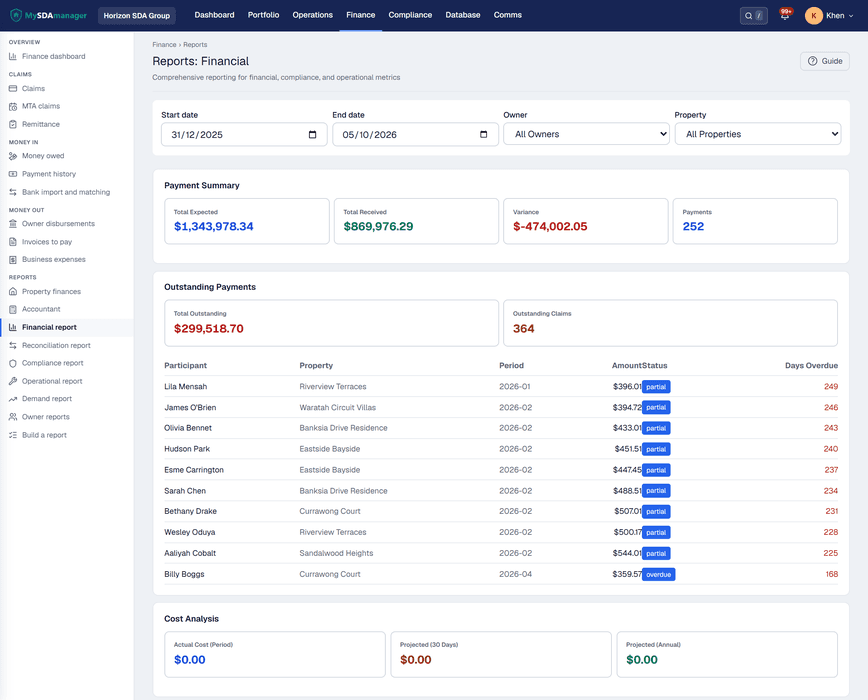
Build a configurable multi-section NDIS evidence pack from Reports. What took two weeks now takes minutes.
Purpose-built for SDA providers. Every screen designed around NDIS workflows.
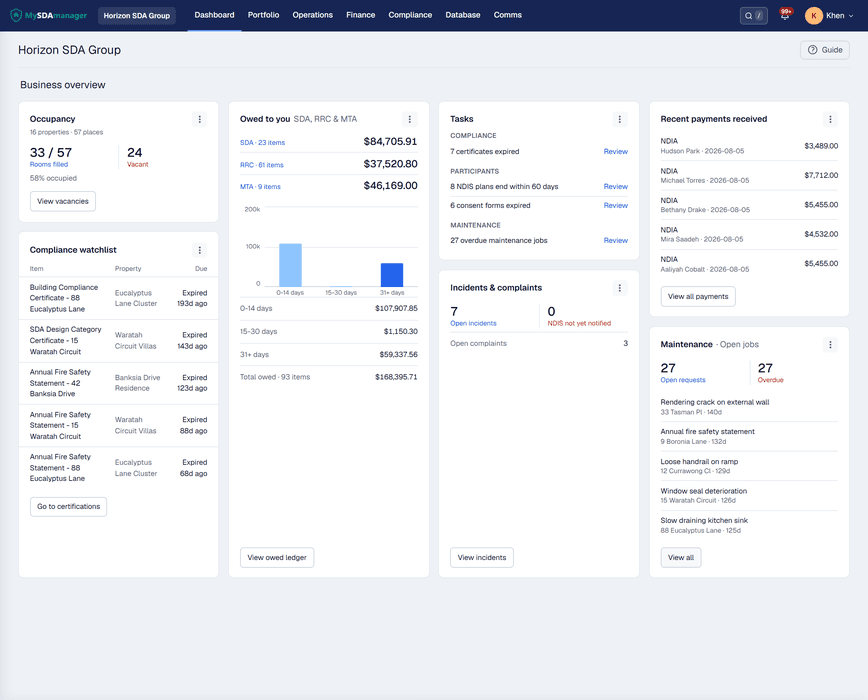
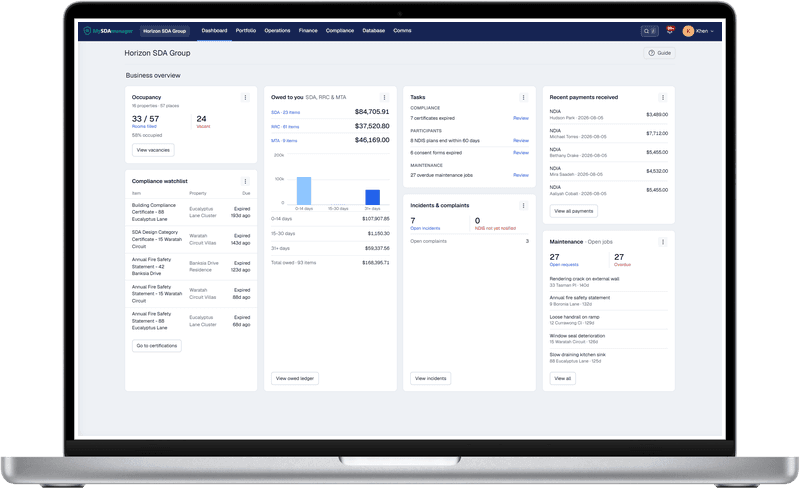
Dashboard: Your whole portfolio at a glance: occupancy, compliance, and cash flow
From the providers helping us build MySDAmanager.
“We used to spend days pulling together documents for NDIS audits. Now I generate a complete compliance pack in under a minute. The audit trail and certification tracking alone saved us from a potential non-compliance finding.”
“Managing participant plans and property details across multiple sites was a nightmare with spreadsheets. MySDAmanager keeps everything in one place: NDIS numbers, plan dates, dwelling assignments. My team actually enjoys updating records now.”
“The MTA claims and invoicing feature cut our admin time in half. I can generate all my monthly claims in one click and the tax invoices look professional. No more copying and pasting into Word templates at the end of every month.”
12-point checklist covering every document the NDIS Commission will ask for. No login required.
A short conversation is enough. We walk claims, compliance, and field inspections, then you decide.

No waitlist. Book a demo or request a callback. We gate access with a conversation, not an open install.